
Design your ideal home on your PC
Sweet Home 3D is a sophisticated tool for creating your own interior designs.
Sweet Home 3D allows your imagination to run wild without you having to lift a finger or costing you a cent. Apart from being a very useful interior design application, it's also a hell of a lot of fun, allowing you to mix and match furniture with ease, take virtual walks around your creations, and indulge yourself in designs you'd probably never be able to do in real life.
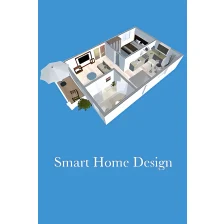
Sweet Home 3D offers more than 50 different pieces of furniture, ranging from beds to lamps and desks tables, but you can import even more from the developer's website. To create your rooms, all you need to do is drag and drop elements into the grid view and you'll see them building up 3D in the viewing screen below. Once you've done this, use the virtual visit tool to get a 3D preview of what it looks like and talk a walk around.
The latest version adds a new level of realism to Sweet Home 3D. This includes a new ability to handle rounded walls, the possibility to store points of view, a new compass and even light and sun management to accurately show how your designs react under different conditions. They've also added a much needed auto recovery function if Sweet Home 3D crashes.
These are the basics and Sweet Home 3D is extremely easy to get to grips with. Unfortunately, the graphics on Sweet Home 3D are not great - many pieces of furniture look blocky, but its designed to give an idea of what an arrangement will look like rather than a perfect picture. You can take a photo of your finished design, which you can then send on to friends to view who won't need Sweet Home 3D to view it. The fact that it's based on Java shouldn't put you off either - it works very smoothly with virtually no delays in placing furniture or creating previews.
Sweet Home 3D is an excellent solution for all those that daydream about redesigning their home, or even for professionals that need a basic mock-up.
Improved support for textured transparent models and transparency management in images computed with SunFlow.Changed how GMT time zones are displayed to avoid confusion.Improved 12/24 hour notation for English speaking users according to user country.Fixed a bug that computed wrongly the shape of some parallel joined walls.Fixed a bug in 3D viewer applet that prevented it to run.Added com.eteks.sweethome3d.no3D system property to disable 3D capabilities of Sweet Home 3D if needed.Updated Spanish, Portuguese Brazilian and Swedish help files.Replaced JRE 6u23 by JRE 6u24 in Sweet Home 3D installers bundled with Java.Other minor bugs fixes and enhancements.
Changes
Improved support for textured transparent models and transparency management in images computed with SunFlow.Changed how GMT time zones are displayed to avoid confusion.Improved 12/24 hour notation for English speaking users according to user country.Fixed a bug that computed wrongly the shape of some parallel joined walls.Fixed a bug in 3D viewer applet that prevented it to run.Added com.eteks.sweethome3d.no3D system property to disable 3D capabilities of Sweet Home 3D if needed.Updated Spanish, Portuguese Brazilian and Swedish help files.Replaced JRE 6u23 by JRE 6u24 in Sweet Home 3D installers bundled with Java.Other minor bugs fixes and enhancements.































User reviews about Sweet Home 3D
by Aaron Wockner
awesome design program. Used it for a renovation to show mum and dad what i was imagining.
by Paulin paloka
kam punuar edhe here te tjera. shume praktik e thjeshte edhe per mua qe nuk jam profesionist
by Anonymous
Needs more improvement.
The graphichs are not that good, there should be more details in lights and shadows. Also There should be a variety of furniture, but still it is a very useful program and it's easy to use. More